https://x.com/sysxplore/status/1935975194809573727
Quick Linux tip:
When you run a program on your terminal or over SSH, it will be terminated as soon as your terminal session ends (when you exit from terminal) or your connection drops.
To avoid this and keep the program and all its processes running, use the nohup command, short for "no hangup." It ignores all hangup signals, allowing the process to persist even if the terminal session is interrupted.
For example, to compress a large amount of data using the tar command and guarantee that the compression continues even if you accidentally close the terminal window, use the following command:
$ nohup tar -cf archive.tar file1 file2
The nohup command also creates a file named nohup.out to store the command's output.
$ cat nohup.out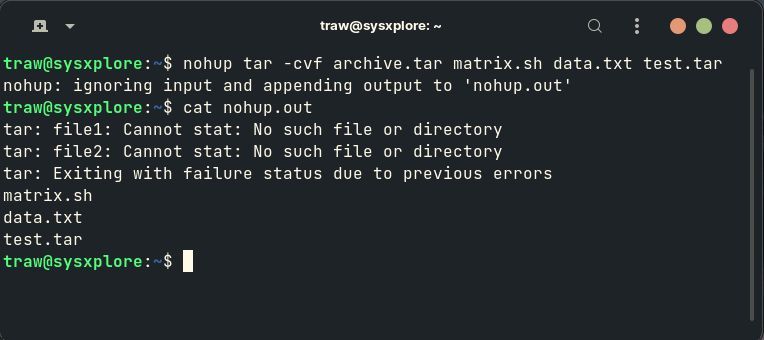 Jun 20, 2025 View on X →
Friday, June 20, 2025 Linux